Task tracking process for construction: a UK guide
Effective task tracking in construction relies on a phase-based structure and daily updates. Learn how to streamline your UK projects and maintain team accountability.
By James Shorter ·
Task tracking process for construction: a UK guide

TL;DR:
- Effective task tracking in construction relies on a phase-based structure with clearly assigned owners and daily status updates to prevent delays. Implementing phase reviews and automating workflows can further reduce errors and keep projects on schedule. Discipline in daily management is more critical to success than the choice of software tools.
The task tracking process in construction is the systematic breaking down, assigning, and monitoring of discrete work items to maintain schedule visibility and team accountability across every project phase. Without it, UK construction projects routinely suffer from missed handovers, duplicated effort, and delays that compound week on week. Tools like Procore, Buildertrend, and TaskTag have made structured task management in construction far more accessible, but the discipline behind the process matters as much as the software. This guide covers what you need, how to set it up, and how to keep it running from groundworks through to closeout.
What does effective task tracking in construction require?
Effective task tracking starts with a work breakdown structure (WBS). A WBS takes your full project scope and divides it into phases, then into individual tasks that a single person can own and complete. Without this foundation, any software you adopt becomes a glorified to-do list rather than a genuine construction project tracking system.

Before selecting tools, you need three things in place: realistic duration estimates for each task, a clear understanding of task sequencing and dependencies, and defined roles so every team member knows what they are responsible for. Skipping any of these means your tracking data will be unreliable from day one.
Comparing key task management software for UK construction
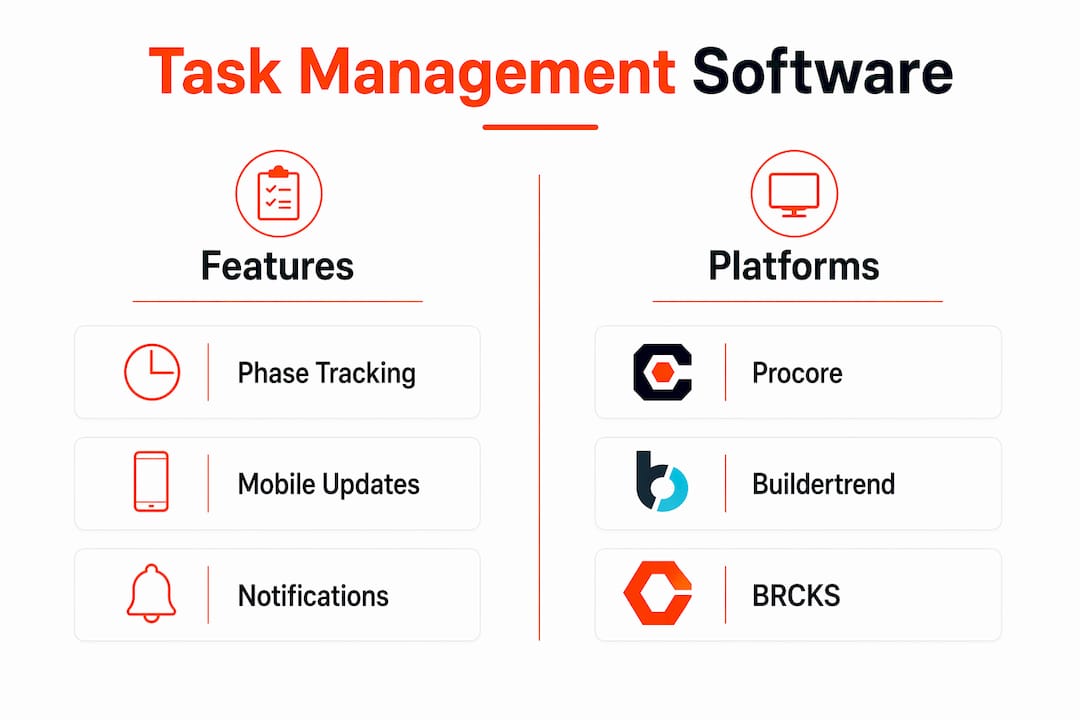
The table below compares four platforms commonly used by UK construction teams:
| Platform | Phase-based tracking | Mobile updates | Automated notifications | UK market presence |
|---|---|---|---|---|
| Procore | Yes | Yes | Yes | Strong |
| Buildertrend | Yes | Yes | Yes | Growing |
| TaskTag | Yes | Yes | Limited | Specialist |
| BRCKS | Yes | Yes (WhatsApp) | Yes | UK-focused |
Each platform handles construction project tracking differently. Procore suits larger main contractors with complex supply chains. Buildertrend works well for residential builders. TaskTag focuses specifically on task-level visibility. BRCKS is built around WhatsApp-based updates, which suits UK site teams who already communicate that way.
Beyond software, your communication channels need to be defined before tracking begins. If updates arrive via WhatsApp, email, and verbal briefings simultaneously, your task log will always be incomplete. centralising updates into one system is the single most important prerequisite for accurate construction progress monitoring.
Pro Tip: Before going live with any task management software, run a two-week pilot on one active phase. This surfaces gaps in your WBS and duration estimates before they affect the full programme.
How to structure and assign construction tasks for tracking
Phase-based project structure is the most effective way to organise tasks and keep teams aligned on progress. Typical phases for a UK new-build or refurbishment project include: Site Preparation, Foundations, Frame and Structure, Mechanical and Electrical (M&E), First Fix, Plasterwork, Second Fix, Finishes, and Closeout. Each phase becomes a container for the tasks within it, giving everyone a shared mental model of where the project stands.
Within each phase, follow these steps to structure tasks correctly:
- Break work into 1 to 5 day tasks. Tasks completable within five days maintain visibility and allow early intervention. Anything longer becomes a milestone, not a trackable task.
- Assign every task to one named person. Assigning to “the groundworks crew” or “M&E team” removes accountability. A single named owner receives the task in their queue and is responsible for its completion.
- Embed a completion checklist in each task. Rather than marking a task done based on verbal confirmation, require specific sign-off criteria. For a first-fix electrical task, this might include cable routing confirmed, containment fixed, and circuit labelled.
- Require photo documentation. Photos uploaded at task completion create an audit trail, support snagging reviews, and protect against disputes. This is especially relevant on UK projects where building control sign-off requires evidence of compliance.
- Flag dependencies before the phase starts. If Task B cannot begin until Task A is complete, this must be recorded in your system before work starts, not discovered when a trade arrives on site with nothing to do.
Pro Tip: If a task cannot be described in one sentence with a clear completion criterion, it is too large. Split it until each item is unambiguous.
This structure directly supports your construction time tracking process, because tasks with clear owners and defined end states are far easier to report against accurately.
What steps keep construction task tracking live during a project?
Structured setup means nothing without disciplined daily maintenance. Daily status updates under five minutes, covering completed tasks, progress percentages, and photo uploads, give project managers a live picture of site activity without requiring calls or site walks for every update.
The daily update process should cover four things:
- Mark tasks completed with photo confirmation
- Update percentage progress on in-progress tasks
- Flag any blocked tasks and record the reason
- Note any new dependencies or risks identified that day
Blocked tasks deserve particular attention. A blocked task that sits unreported for 48 hours can delay an entire phase. Tracking blocked tasks separately, in a dedicated view or filter within your software, surfaces these issues before they cascade. Projects updated weekly with realistic schedules finish on average 2.3 weeks faster. That figure reflects the compounding effect of small delays caught early versus small delays ignored.
Phase reviews are the other critical checkpoint. Before closing a phase and releasing the next trade, conduct a short structured review. Skipping phase reviews leads to premature transitions, stacking of trades, and rework that is far more expensive than the 30 minutes the review would have taken. The review should confirm task completion, documentation, and sign-off before the next phase opens.
Pro Tip: Set a five-minute calendar reminder at 16:30 each working day. Use it solely to review that day’s task log, check for blocked items, and confirm tomorrow’s priorities. This habit alone prevents the majority of avoidable delays.
For a deeper look at how construction workflow management supports these daily disciplines, the principles translate directly into how you configure your task views and notification rules.
How can automation improve construction task tracking workflows?
Workflow automation in construction reduces errors and accelerates status updates by connecting software systems and removing repetitive manual steps. When a task is marked complete, an automated notification can alert the next trade, update the programme, and trigger a material reorder, all without a project manager making a single call.
The practical gains are significant:
- Approval routing: Change orders can be automatically routed based on cost thresholds. Variations below a set value auto-approve; larger changes route to the contract manager for review. This removes a common bottleneck in UK construction projects where variation approvals sit in inboxes for days.
- Real-time progress capture: Mobile apps and IoT sensors feed live data into your task log, replacing end-of-day manual entries with continuous updates.
- BIM and digital twin integration: Digital twin frameworks linked with BIM models enable near real-time synchronisation of construction progress and can reduce resource idle time by up to 15%. For larger UK projects, this represents a material saving on preliminaries.
- Automated site diaries: Systems that capture WhatsApp messages and convert them into structured diary entries remove one of the most time-consuming administrative tasks on any UK site.
The future direction of workflow automation points toward AI-driven decision routing that further reduces manual coordination. For UK construction managers, the near-term opportunity is simpler: connect your communication channels to your task log so that updates happen automatically rather than being chased.
What are the most common task tracking failures, and how do you fix them?
Most task tracking breakdowns follow a predictable pattern. Recognising them early is the difference between a one-day delay and a three-week programme slip.
- Unclear task ownership. When a task belongs to a crew rather than a person, no one chases it. Fix this by auditing your task list weekly and reassigning any item without a named owner before the phase begins.
- Unflagged blocked tasks. A task marked “in progress” for four days without a photo update is almost certainly blocked. Build a rule into your process: any task with no update for 48 hours triggers an automatic alert to the project manager.
- Over-optimistic duration estimates. First-fix electrical on a 20-unit development does not take the same time as on a single dwelling. Use historical data from previous projects to calibrate estimates, and add a 10 to 15 per cent buffer on tasks with external dependencies.
- Ignored task dependencies. Sequencing errors, such as decorators arriving before plasterwork is dry, are almost always traceable to dependencies that were never recorded. Map critical path tasks explicitly and review them at each phase start.
- Premature phase transitions. Moving to the next phase before the current one is fully signed off creates rework. The phase review checkpoint exists precisely to prevent this.
For recovery when a programme has already slipped, three approaches work in practice: adding resource to critical path tasks, overlapping tasks where sequencing genuinely permits it, and communicating transparently with clients about revised completion dates. Clients who receive honest, data-backed updates respond far better than those who receive reassurances that later prove false.
Pro Tip: Run a weekly lookahead session covering the next two weeks of tasks. Review dependencies, confirm resource availability, and identify risks before they become delays. Thirty minutes on a Monday morning prevents most of the firefighting that happens on Friday afternoons.
Key takeaways
Effective task tracking in construction requires a phase-based structure, named task ownership, daily updates, and phase review checkpoints to prevent delays from compounding.
| Point | Details |
|---|---|
| Use a phase-based structure | Organise tasks into sequential phases to give teams a shared view of progress. |
| Assign named owners to every task | Generic crew assignments remove accountability; one person per task is non-negotiable. |
| Update task status daily | Five-minute daily updates catch blockers before they cascade into programme slippage. |
| Conduct phase reviews before transitions | A short review before closing each phase prevents rework and trade stacking. |
| Automate where possible | Connect communication channels and approval workflows to reduce manual coordination. |
Why discipline beats software in construction task tracking
I have worked with UK construction teams running Procore, teams running spreadsheets, and teams running nothing at all. The single biggest predictor of whether a project finishes on time is not the software. It is whether the project manager checks the task log every day and acts on what they find.
The tools matter, but they are multipliers of discipline, not replacements for it. I have seen well-configured task management systems ignored after week two because the team reverted to WhatsApp for updates. I have also seen a simple spreadsheet, updated religiously every evening, keep a 40-unit residential scheme on programme through a subcontractor failure that would have derailed a less disciplined team.
The phase review is the practice I would defend above all others. It takes 30 minutes. It prevents weeks of rework. Yet it is the first thing dropped when a project feels like it is running well, which is precisely when it is most needed.
My honest view on automation is this: adopt it for the administrative tasks you currently do manually and hate, such as site diaries, variation logs, and RFI tracking. Do not adopt it as a substitute for the human judgement that catches a blocked task before it becomes a critical delay. The best construction workflow optimisation combines both.
For teams new to structured task tracking, start with phases and named owners. Get those two things right before adding software complexity. The process has to work before the tool can support it.
— James
How BRCKS supports your task tracking process

BRCKS is built specifically for UK construction teams who need structured task tracking without adding administrative overhead. By capturing WhatsApp communications and converting them into task updates, site diary entries, and variation logs automatically, BRCKS removes the gap between how your team actually communicates and what your project record shows. Features include phase-based task views, named owner assignment, automated site diaries, and RFI tracking, all accessible from the tools your team already uses. Teams using BRCKS report saving over two hours of manual effort daily. If you want to see how it fits your current workflow, try BRCKS for builders free for 14 days.
FAQ
What is the task tracking process in construction?
The task tracking process in construction is the systematic breakdown of a project into discrete, assignable tasks with defined owners, durations, and completion criteria, monitored continuously to maintain schedule visibility and prevent delays.
How often should construction tasks be updated?
Task status should be updated daily. Daily updates under five minutes covering completions, progress, and blocked items give project managers an accurate live picture without requiring constant site visits or calls.
What is a phase review in construction task management?
A phase review is a short structured checkpoint conducted before closing one project phase and opening the next. It confirms task completion, documentation, and readiness, preventing premature transitions that lead to rework and trade stacking.
What task management software suits UK construction teams?
Procore, Buildertrend, TaskTag, and BRCKS are all used by UK construction teams. BRCKS is particularly suited to teams who rely on WhatsApp for site communication, as it integrates directly with that channel to automate updates and record-keeping.
How does automation improve construction task tracking?
Workflow automation removes manual steps from approvals, notifications, and schedule updates, reducing errors and freeing project managers to focus on decisions rather than administration.
Recommended
- The Ultimate Guide to Construction Time Tracking | BRCKS
- Workflow Automation Guide for UK Construction Managers | BRCKS
- Top Construction Schedule Software for UK Builders 2025 | BRCKS
- BRCKS | Construction Project Communication Software
How BRCKS Can Help
Effective task tracking is the backbone of any successful build, ensuring that every site activity aligns with your overarching project timeline. By digitising these workflows with BRCKS, UK contractors can eliminate the fragmentation of manual spreadsheets and foster real-time accountability across their teams. Our platform is purpose-built to simplify complex construction schedules, allowing you to focus on quality delivery rather than administrative overhead. We invite you to discover how BRCKS can transform your operational efficiency by booking a personalised demo today. Learn more at BRCKS and explore our full feature set.