What is cloud-based construction software: UK builders guide
A comprehensive guide for UK builders and subcontractors on adopting cloud-based tools to centralise communication and eliminate costly project errors.
By James Shorter ·
What is cloud-based construction software: UK builders guide
 A purpose-built construction snagging software keeps these items tracked through to sign-off.
Many UK construction professionals assume digital tools are complicated, expensive, or unsuitable for site-based work. This misconception keeps teams relying on fragmented communication methods like WhatsApp groups, email chains, and paper documentation. Cloud-based construction software offers a simpler alternative, centralising project management, communication, and documentation in one accessible platform. This guide explains what cloud-based construction software is, how it benefits builders and subcontractors, and why understanding these tools is vital for improving project outcomes, reducing costly mistakes, and streamlining workflows across UK construction sites.
Table of Contents
- Key takeaways
- Understanding cloud-based construction software
- Core benefits of cloud-based construction software for UK construction teams
- Choosing the right cloud-based construction software for your business
- Implementing cloud software to transform your construction projects
- Explore cloud construction software designed for UK builders and electricians
- Frequently asked questions
Key Takeaways
| Point | Details |
|---|---|
| Definition and purpose | Cloud based construction software centralises project management, communication and documentation in a single online platform to improve accessibility and update workflows. |
| Real time collaboration | Real time collaboration allows project managers, electricians and other trades to view the same information, reducing silos and preventing conflicts. |
| UK feature selection | Look for modules such as project management, document control, communication channels, client portals and mobile apps that address UK regulatory and site needs. |
| Real world impact | In UK projects the cloud based workflow reduced rework by 52 per cent by improving change management and timely approvals. |
Understanding cloud-based construction software
Cloud-based construction software refers to online platforms that manage project workflows, communication, and documentation through internet-connected servers rather than local computer installations. Unlike traditional on-premise software requiring installation on individual machines, cloud platforms store data remotely and provide instant access through web browsers or mobile apps. This fundamental difference means project managers can review site progress from the office whilst subcontractors update task statuses directly from scaffolding, all viewing identical real-time information.
The distinction between traditional and cloud software centres on accessibility and automatic updates. On-premise systems require manual software updates, IT support for maintenance, and physical presence at specific computers to access project files. Cloud-based construction software centralises project data accessible anywhere online, improving communication and document management without these limitations. Updates deploy automatically, ensuring every team member uses current features without disruption.
Most cloud construction platforms include several integrated modules:
- Project management tools tracking schedules, tasks, and milestones
- Document control systems organising plans, specifications, and compliance certificates
- Communication channels replacing fragmented email and messaging apps
- Client portals providing transparency and approval workflows
- Mobile applications enabling site-based updates and photo documentation
Centralised data storage eliminates common errors plaguing construction projects. When electricians reference outdated floor plans or plumbers miss specification changes buried in email threads, costly rework follows. Cloud platforms ensure everyone accesses current information, reducing miscommunication that causes delays and budget overruns. A single source of truth means subcontractors spend less time hunting for documents and more time completing quality work.
Pro Tip: Before adopting cloud software, audit your current communication methods to identify specific pain points like lost emails, version control issues, or delayed approvals that cloud tools directly address.
Core benefits of cloud-based construction software for UK construction teams
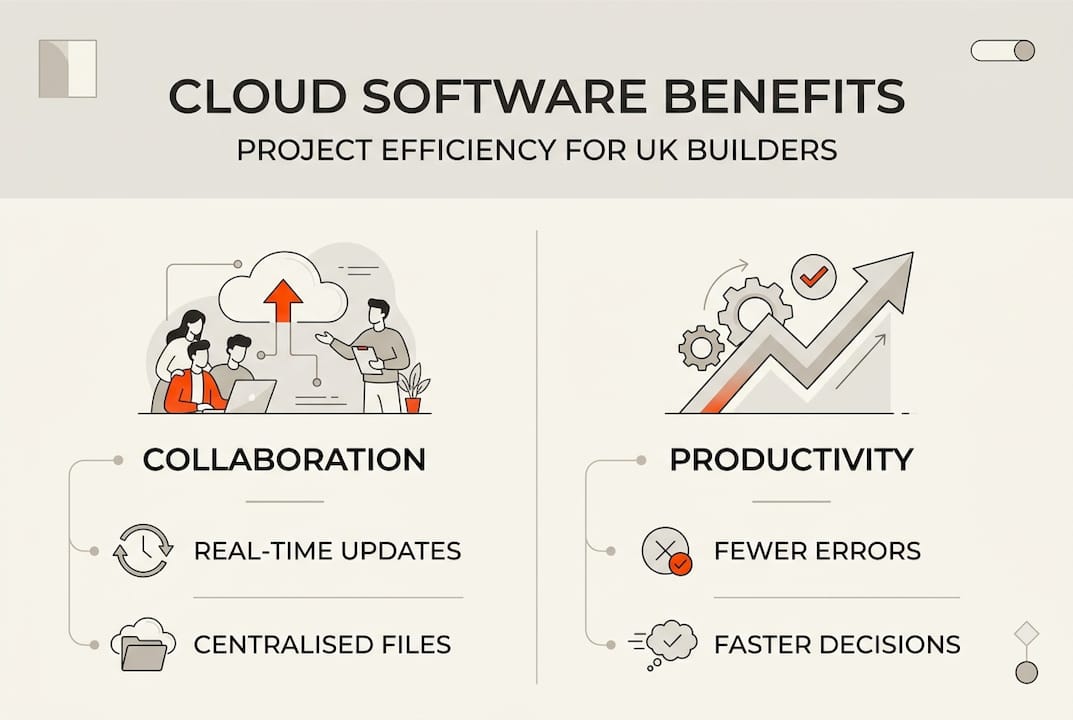
Real-time collaboration transforms how project managers coordinate with subcontractors and suppliers. Traditional construction communication relies on phone calls, text messages, and site meetings that create information silos. Cloud platforms break down these barriers by providing shared workspaces where electricians see plumbing schedules, joiners access updated specifications, and everyone receives instant notifications about critical changes. This visibility prevents conflicts like trades arriving simultaneously for limited workspace or materials ordered based on superseded requirements.

Clear communication channels minimise misunderstandings that generate expensive change orders. When clients request modifications, cloud software documents the request, tracks approval status, and notifies affected trades automatically. Construction communication workflow cuts rework by 52% in UK projects by ensuring everyone understands scope changes before work begins. Subcontractors receive clear instructions rather than interpreting second-hand information passed through multiple conversations.
Instant access to up-to-date documents prevents costly mistakes stemming from outdated information. Consider a scenario where structural engineers issue revised calculations but the steel fabricator works from original specifications. Cloud platforms eliminate this risk by replacing old versions automatically and flagging updates for relevant team members. Site managers photograph completed work, upload images instantly, and link them to specific tasks, creating verifiable records that protect against disputes and support quality assurance.
Workflow automation saves significant time by standardising repetitive processes:
- Automatic task assignments when previous stages complete
- Scheduled reminders for inspections, certifications, and compliance deadlines
- Template-based checklists ensuring consistent quality across projects
- Integrated approval workflows routing requests to appropriate decision-makers
These automated systems reduce manual coordination effort, freeing project managers to focus on problem-solving rather than administrative tasks. Subcontractors appreciate standardised processes that clarify expectations and reduce confusion about next steps.
“Cloud construction platforms create transparency that builds trust between main contractors and subcontractors. Everyone sees the same information simultaneously, eliminating the perception that project managers withhold critical updates.”
Pro Tip: Measure time spent on communication and documentation before implementing cloud software, then track these metrics afterwards to quantify efficiency gains and justify continued investment.
Choosing the right cloud-based construction software for your business
Selecting appropriate software requires evaluating several critical criteria aligned with your specific operational needs. User-friendliness tops the priority list because complicated interfaces discourage adoption among time-pressed site workers. Software should feel intuitive within minutes, not require extensive training that pulls tradespeople off projects. Mobile compatibility proves equally essential since construction happens on-site, not behind desks. Platforms must function flawlessly on smartphones and tablets, with offline capabilities for areas with poor connectivity.
Integration capabilities determine whether new software complements or complicates existing workflows. The platform should connect with accounting systems, estimating tools, and supplier portals you already use. Seamless data exchange prevents duplicate entry and ensures financial records align with project progress. Security compliance matters significantly for UK construction firms handling sensitive client information and proprietary designs. Verify that platforms meet GDPR requirements, employ encryption for data transmission, and maintain secure backup protocols.
Important software features for UK builders include easy mobile access, robust communication tools, and simplicity in workflow management. Different construction roles prioritise different capabilities. Project managers need comprehensive oversight dashboards, budget tracking, and resource allocation tools. Subcontractors value straightforward task lists, clear communication channels, and simple progress reporting that doesn’t burden them with unnecessary complexity.
| Software aspect | Project manager priorities | Subcontractor priorities |
|---|---|---|
| Dashboard complexity | Detailed analytics and reporting | Simple task visibility |
| Communication features | Multi-channel coordination tools | Direct messaging and notifications |
| Mobile functionality | Overview and approval capabilities | Task updates and photo uploads |
| Training requirements | Willing to invest learning time | Minimal learning curve essential |
Vendor support quality significantly impacts long-term satisfaction. Assess whether providers offer UK-based customer service, responsive technical support, and comprehensive training resources. Pricing models vary from per-user subscriptions to project-based fees. Understand total costs including setup, training, and ongoing support rather than focusing solely on headline subscription rates. Some platforms offer free access for subcontractors, reducing barriers to adoption across your supply chain.
Pro Tip: Request trial periods from multiple vendors and involve actual end-users like site supervisors and subcontractors in testing to ensure the platform suits those who’ll use it daily, not just decision-makers reviewing features lists.
Implementing cloud software to transform your construction projects
Successful implementation follows a structured approach that minimises disruption whilst maximising adoption. Begin by assessing current needs through conversations with project managers, site supervisors, and regular subcontractors. Identify specific pain points like communication delays, document version confusion, or progress tracking difficulties that cloud software should address. This assessment creates measurable objectives for evaluating implementation success.
Choose software aligned with identified needs rather than selecting platforms based on impressive feature lists you won’t use. Prioritise solving your three biggest workflow problems before worrying about advanced capabilities. Once selected, develop a phased rollout plan:
- Pilot the platform on a single small project with a cooperative team willing to provide honest feedback
- Gather insights about usability issues, training gaps, and workflow adjustments needed
- Refine processes and create simple guides addressing common questions
- Expand to additional projects progressively, incorporating lessons from earlier phases
- Establish the platform as standard practice across all new projects
Involving all stakeholders early builds buy-in essential for adoption. Explain benefits specifically relevant to each group rather than generic advantages. Show subcontractors how cloud software reduces time spent chasing information and clarifies expectations. Demonstrate to clients how portals provide transparency and streamline approvals. When people understand personal benefits, resistance decreases significantly.
Training approaches should match user technical comfort levels. Provide hands-on workshops for less tech-savvy team members, supplemented by video tutorials and quick reference cards. Designate platform champions within your organisation who become go-to resources for questions, reducing reliance on vendor support for basic queries. Proper implementation and team training maximise the value of cloud construction software and minimise resistance to change.
Common implementation challenges include data migration from existing systems and overcoming habitual reliance on familiar tools. Address data migration by starting fresh with new projects rather than attempting to transfer historical records immediately. Allow teams to maintain old methods temporarily on legacy projects whilst adopting cloud software for new work. This parallel approach reduces stress and demonstrates benefits through comparison.
Monitor usage patterns to identify adoption barriers. If certain features remain unused, investigate whether they’re unnecessary, poorly understood, or require workflow adjustments. Regular check-ins with users reveal frustrations before they escalate into rejection of the entire platform. Celebrate quick wins like faster approvals or reduced site visits to reinforce positive change.
Efficient workflows enabled by cloud software directly reduce mistakes and delays. When everyone accesses current information, follows standardised processes, and communicates through clear channels, projects progress more smoothly. Subcontractors arrive prepared with correct materials, inspections happen on schedule, and client approvals don’t bottleneck progress. These improvements compound over time, building reputation for reliability that wins future work.
Explore cloud construction software designed for UK builders and electricians
BRCKS provides cloud-based construction software specifically tailored for UK construction professionals, addressing the unique communication and workflow challenges facing builders, electricians, and other trades. The platform consolidates project updates, task management, file sharing, and team communication into one accessible system, eliminating the fragmentation that causes costly mistakes and delays. Construction software for builders streamlines site communication through WhatsApp integration, making adoption seamless for teams already comfortable with messaging apps.

Electricians benefit from specialised software features that manage compliance documentation, coordinate with other trades, and provide clients with transparent project visibility. BRCKS’s automation capabilities save teams over two hours daily by reducing manual coordination effort and standardising workflows across projects. Explore why BRCKS software stands out through its focus on simplicity, mobile accessibility, and features designed specifically for construction rather than adapted from generic project management tools.
Frequently asked questions
What exactly is cloud-based construction software?
Cloud-based construction software is an online platform that manages project workflows, communication, and documentation through internet-connected servers accessible via web browsers or mobile apps. Unlike traditional software installed on individual computers, cloud platforms store data remotely, enabling real-time access from any device with internet connectivity. This allows project managers, subcontractors, and clients to view identical up-to-date information simultaneously, improving coordination and reducing errors caused by outdated documents or miscommunication.
How does cloud software improve construction project communication?
Cloud platforms replace fragmented communication methods like email chains, WhatsApp groups, and phone calls with centralised channels where all project-related conversations, decisions, and updates exist in one accessible location. Team members receive automatic notifications about relevant changes, eliminating information silos where critical updates reach some people but not others. This transparency ensures subcontractors understand scope changes before starting work, clients track progress without constant phone calls, and project managers coordinate trades without endless follow-up conversations.
Is cloud-based construction data secure for UK companies?
Reputable cloud construction platforms employ bank-level encryption for data transmission and storage, often exceeding security measures possible with on-premise systems maintained by small construction firms. Providers implement GDPR-compliant data handling, regular security audits, and secure backup protocols protecting against data loss. Access controls ensure only authorised team members view sensitive information, whilst automatic backups prevent document loss from device failures. Verify that chosen platforms meet UK data protection standards and maintain servers in secure, certified data centres.
Can subcontractors access cloud software easily from construction sites?
Modern cloud construction platforms prioritise mobile functionality, offering smartphone and tablet apps that work seamlessly on-site. Subcontractors update task statuses, upload photos, and access current plans directly from scaffolding or within properties without returning to vehicles for laptops. Many platforms include offline capabilities, allowing essential functions when connectivity is poor, then syncing updates once internet access resumes. This mobile-first approach ensures site-based workers engage with the platform as easily as office-based project managers.
What distinguishes cloud platforms from traditional construction software?
Traditional construction software requires installation on specific computers, manual updates, and often IT support for maintenance and troubleshooting. Cloud platforms eliminate these requirements through automatic updates, browser-based access, and vendor-managed infrastructure. The fundamental difference lies in accessibility—cloud software works anywhere with internet connectivity, whilst traditional systems tie users to particular machines. Additionally, cloud platforms reduce hidden costs associated with server maintenance, software licensing for multiple computers, and lost productivity from version incompatibilities that plague traditional systems.
Recommended
- BRCKS | Construction Project Communication Software
- Construction Software for Builders | BRCKS
- BRCKS | Construction Project Communication Software
- BRCKS | Construction Project Communication Software
- Top 5 Continuing Education Platforms for Construction 2026
How BRCKS Can Help
Adopting cloud-based construction software is no longer a luxury but a necessity for UK builders looking to stay competitive and organised in a fast-paced industry. BRCKS simplifies this transition by providing a centralised, real-time platform that bridges the gap between the office and the site, ensuring your projects remain on track and within budget. By moving your management processes to the cloud, you can eliminate manual errors and focus on what you do best: building quality structures. We invite you to explore how BRCKS can transform your daily operations and help your business thrive in the digital age. Learn more at BRCKS.