Construction project hubs: streamline UK site collaboration
Centralising communication and data reduces construction errors and delays significantly. Learn how project hubs improve site team focus and real-time updates.
By James Shorter ·
Construction project hubs: streamline UK site collaboration
TL;DR:
- Centralising communication and data reduces construction errors and delays significantly.
- Role-based dashboards and mobile access improve site team focus and real-time updates.
- Successful adoption depends on team culture, engagement, and clear processes alongside the technology.
Nearly half of all construction projects face delays caused by disconnected systems and data silos, leaving project managers scrambling to piece together updates from emails, spreadsheets, and phone calls. For UK site leaders, this fragmentation is not just frustrating — it is costly. A construction project hub changes that equation entirely. By centralising communication, documents, and task management into a single environment, project hubs give teams the visibility and control they need to keep work moving. This guide explains what a construction project hub is, how it works, and what you need to know before adopting one.
Table of Contents
- What is a construction project hub?
- How construction project hubs solve communication challenges
- Key components and features of modern project hubs
- Edge cases and practical realities of project hubs
- A fresh perspective: What most project managers overlook about hubs
- Next steps: Streamline your construction site with modern project hub solutions
- Frequently asked questions
Key Takeaways
| Point | Details |
|---|---|
| Centralised communication | Project hubs eliminate silos with unified real-time updates for all team members. |
| Role-based oversight | Dashboards tailored for executives, managers, and field teams improve accountability. |
| Integration and workflow | Modern hubs integrate industry tools and allow custom workflows without coding. |
| Adoption pitfalls | Technology only succeeds if teams actively use and trust the project hub platform. |
What is a construction project hub?
A construction project hub is a centralised platform where all project-related communication, documents, tasks, and updates live in one place. Rather than relying on separate tools for messaging, file storage, and reporting, a project hub brings everything together so every team member sees the same information at the same time.
This matters because information sharing cuts construction errors significantly when it is structured and accessible. When data is scattered across inboxes and personal drives, mistakes multiply. A hub removes that risk by making the right information available to the right people, instantly.
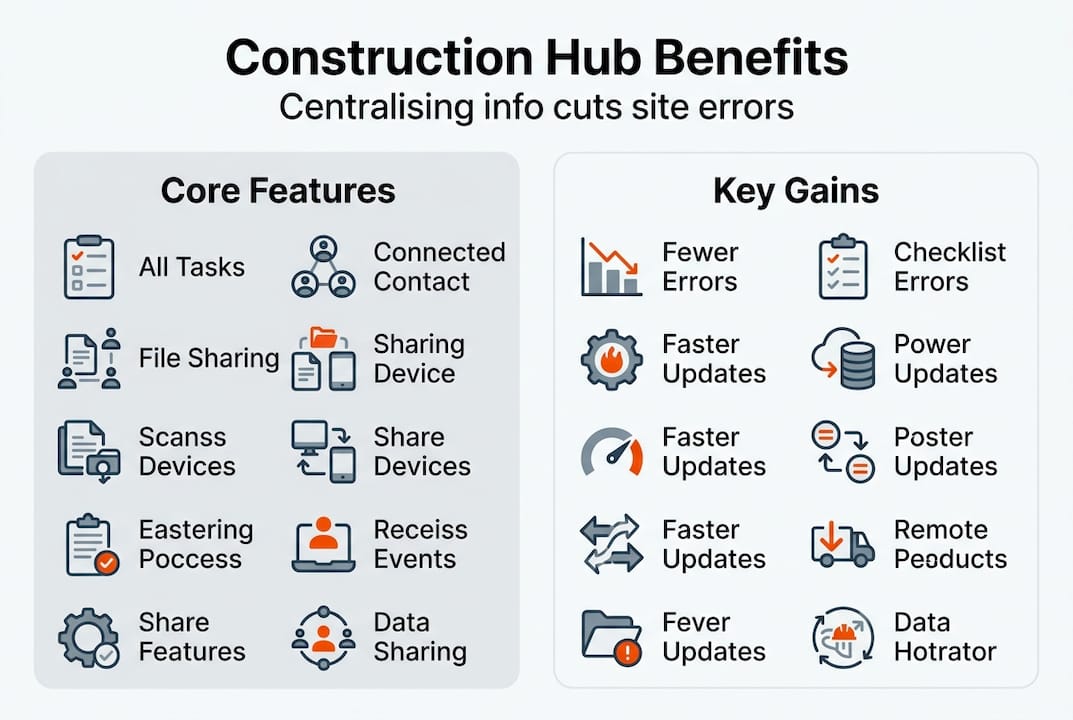
It is worth noting that a project hub is not simply a chat tool or a document folder. It is a structured environment with role-based access, meaning executives, project managers, and site teams each see dashboards and data relevant to their responsibilities. A site operative does not need to wade through financial forecasts, and a client does not need access to internal team discussions.
Quickbase’s Project Hub centralises information to address data silos, a problem that plagues construction firms of every size. The concept also extends beyond software. Physical innovation centres, for example, serve as hubs where firms collaborate on new construction methods and materials.
Key benefits of a well-implemented construction project hub include:
- Reduced errors through consistent, shared data across all teams
- Faster decision-making because managers access real-time updates without chasing information
- Greater project visibility for both internal teams and clients
- Improved accountability with clear task ownership and audit trails
- Smoother onboarding for subcontractors who can access relevant project data without delay
Understanding why digital collaboration fails is just as important as knowing what a hub offers. Poor adoption, unclear roles, and lack of integration with existing tools are common reasons platforms underdeliver. A hub only works when it fits naturally into how your team already operates.
For those looking to improve site coordination, reviewing project coordination best practices alongside hub adoption is a practical starting point. A project planning workflow that maps out team responsibilities before selecting a platform will save significant time during rollout.
How construction project hubs solve communication challenges
Construction sites generate enormous volumes of information daily. RFIs, progress photos, material deliveries, safety incidents, and design changes all need to be logged, shared, and acted upon. Without a centralised system, that information gets lost or delayed.
Nearly half of projects are delayed due to disconnected systems, which means the communication problem is not a minor inconvenience. It is a primary driver of cost overruns and missed deadlines. Project hubs solve this by ensuring every update is captured in one place and visible to whoever needs it.
Automated alerts are a particularly powerful feature. When a task is overdue or a document is updated, the relevant team member receives a notification immediately. There is no waiting for a morning briefing or a weekly report. Real-time updates transform construction project outcomes by enabling faster responses to problems before they escalate.
| Without a project hub | With a project hub |
|---|---|
| Updates shared via email chains | Instant notifications to relevant team members |
| Documents stored in personal drives | Centralised, version-controlled file library |
| Manual progress reporting | Automated dashboards with live data |
| Unclear task ownership | Role-based assignments with audit trails |
| Client updates require manual preparation | Client portals with real-time project visibility |
Integration with tools like Procore, Sage, and Excel is another major advantage. Rather than re-entering data across multiple platforms, a hub pulls information together automatically. The Project Hub Pro mechanics demonstrate how seamless integration reduces duplication and manual effort across site and office teams.
“The biggest efficiency gains in construction come not from working harder, but from ensuring the right information reaches the right person at the right time.”
Role-based dashboards also improve accountability. A project director sees budget and programme status at a glance. A site manager tracks daily tasks and inspections. A subcontractor views only the work assigned to them. This structure reduces noise and keeps every team member focused. Exploring the benefits of project communication platforms gives a fuller picture of how these tools reduce friction across the supply chain, from principal contractors to specialist trades such as drainage contractors managing site risk.
Key components and features of modern project hubs
Not all project hubs are built the same. Understanding the core components helps you evaluate which platform will genuinely serve your team rather than add another layer of complexity.
Role-adapted dashboards are the foundation. Executives need high-level programme and budget overviews. Project managers need task lists, issue logs, and team activity feeds. Site teams need simple, mobile-friendly interfaces to log progress and flag problems quickly. A platform that forces everyone into the same view will frustrate more than it helps.
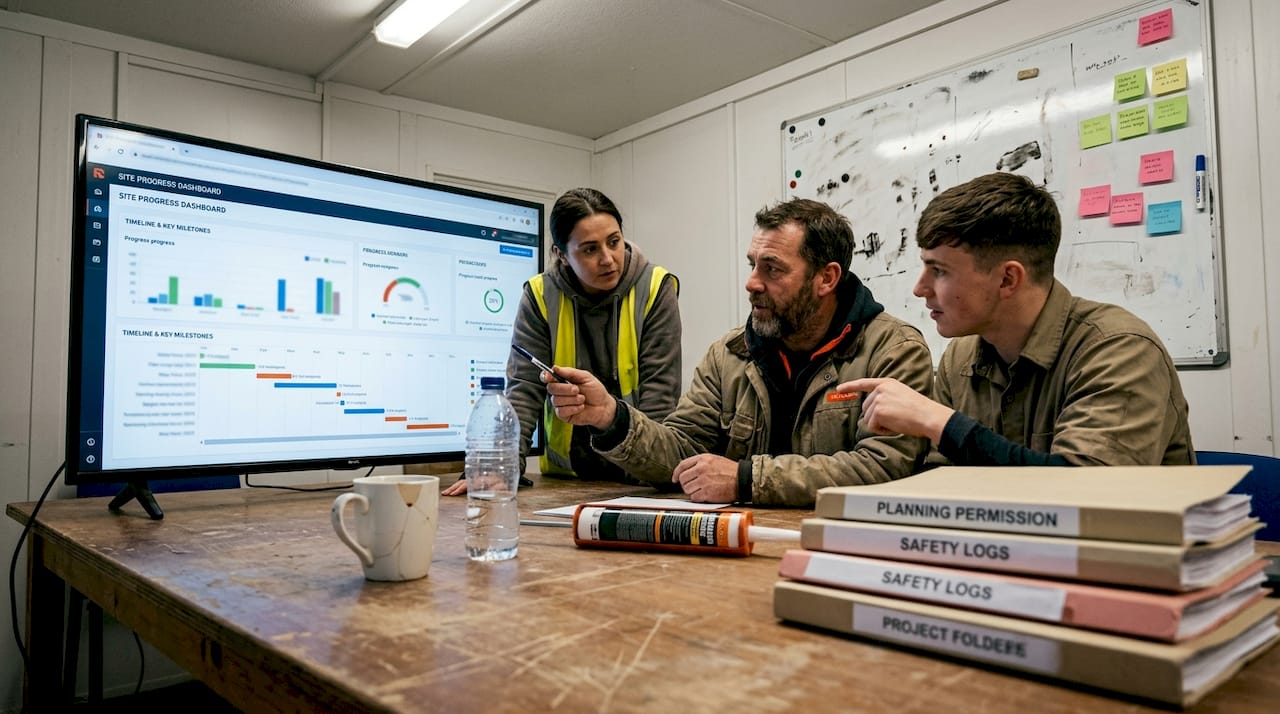
Workflow customisation is equally important. Construction projects vary enormously, and a rigid system that cannot adapt to your processes will be abandoned. Modern hubs allow teams to build and modify workflows without writing code. Workflow customisation insights show that no-code configuration is now a standard expectation, not a premium feature.
| Feature | Why it matters |
|---|---|
| Mobile access | Site teams can log updates from anywhere, in real time |
| Role-based dashboards | Reduces information overload and improves focus |
| Workflow customisation | Adapts to your process, not the other way around |
| Third-party integrations | Connects existing tools to avoid data duplication |
| Offline capability | Keeps teams productive in areas with poor signal |
Mobile accessibility is non-negotiable for site teams. Construction mobile apps reduce waste by 25% when teams can access and update project information directly from site, without returning to an office or waiting for a laptop.
Integration capability ties everything together. A hub that connects with your existing accounting software, scheduling tools, and document management systems eliminates the need for manual data transfer. Reviewing a construction workflow management guide before selecting a platform helps you map integration requirements clearly.
Pro Tip: Always pilot a new project hub on a single, smaller project before rolling it out site-wide. This gives your team time to learn the platform, surface any integration issues, and build confidence before it becomes critical to a major scheme.
For builders specifically, software for builders that is purpose-built for construction workflows will outperform generic project management tools every time.
Edge cases and practical realities of project hubs
Digital project hubs are powerful, but they are not without limitations. Understanding the edge cases helps you plan a more resilient implementation.
First, not every project hub is software. London’s Circular Construction Hub in the Royal Docks is a physical facility focused on reducing construction waste and supporting the circular economy. It demonstrates that the concept of a hub, bringing expertise and resources together in one place, applies equally in physical and digital contexts. UK construction leaders should be aware of both models when planning their approach.
Second, digital hubs carry real risks if adoption is low or integrations fail. A platform that your team does not use consistently becomes another data silo rather than a solution to one.
“A project hub is only as effective as the team using it. Technology cannot substitute for clear processes and genuine engagement.”
Third, there is an important distinction between a project hub and project controls. Project controls focus specifically on cost, programme, and risk management. A project hub is broader, encompassing communication, document sharing, and general collaboration. While they overlap, a hub is often the "front door" through which teams access project controls data.
Finally, data security and ownership are critical. When multiple subcontractors and consultants use a single hub, you must have clear protocols on who owns the data and what happens to it after the project completes. Ensure your platform provides robust audit trails and export options to maintain a permanent record for your firm.
A fresh perspective: What most project managers overlook about hubs
Most project managers focus on the technical features of a hub — the dashboards, the integrations, and the mobile app. While these are important, they overlook the most critical factor: team culture.
A project hub is not just a tool; it is a change in how people work. It requires a shift from "my data" to "our data." If your team is used to working in silos, they may feel exposed or micromanaged by a platform that makes their progress (or lack of it) visible to everyone. Successful hub adoption requires leadership that rewards transparency and uses the data to support teams, not just to police them.
Another overlooked aspect is the "information noise" problem. A hub that sends too many notifications or presents too much irrelevant data will be ignored. The goal of a hub is to streamline, not to overwhelm. Spend time refining your role-based views and notification settings to ensure team members only see what they need to act on.
Finally, consider the long-term value of the data. A project hub captures a rich history of how a project was delivered. This data is invaluable for post-project reviews and for improving future bids. Most firms use hubs for the "now," but the real competitive advantage comes from using the historical data to refine your processes over time.
Next steps: Streamline your construction site with modern project hub solutions
Adopting a construction project hub is a strategic move that can significantly improve your project outcomes. To get started, follow these steps:
- Audit your current systems: Identify where data is currently getting lost or delayed.
- Define your requirements: What are the "must-have" features for your site teams and your office teams?
- Evaluate platforms: Look for solutions that offer role-based dashboards, mobile access, and easy integration.
- Pilot and refine: Start with one project, gather feedback, and adjust your workflows before a full rollout.
- Focus on adoption: Provide training and clear guidance to ensure your team feels confident using the new platform.
By centralising your communication and data, you can reduce errors, speed up decision-making, and give your teams the tools they need to succeed. Explore how Brcks can help you streamline your construction site collaboration today.
Frequently asked questions
What is the difference between a project hub and a Common Data Environment (CDE)?
A CDE is primarily focused on the management of BIM (Building Information Modelling) data and technical documents. A project hub is broader, focusing on day-to-day communication, task management, and team collaboration alongside document storage.
Can a project hub work for small construction firms?
Yes. In fact, smaller firms often see the biggest benefits because they have fewer resources to manage complex, disconnected systems. A hub provides a professional, organised environment that helps small teams punch above their weight.
How much does a construction project hub cost?
Pricing varies widely depending on the features and the number of users. Many platforms offer tiered pricing, allowing you to start small and scale as your needs grow. Always consider the "cost of doing nothing" — the price of delays and errors — when evaluating the investment.
Is my data safe in a cloud-based project hub?
Most modern project hubs use enterprise-grade security and encryption. However, it is important to review the provider's security certifications and data backup policies to ensure they meet your firm's standards.
To mitigate the risks of digital hub adoption, consider the following steps:
- Audit your current tools before selecting a hub, so you understand what integrations are essential
- Involve site teams early in the selection process to ensure the interface works for them
- Set clear usage expectations and make the hub the single source of truth from day one
- Establish backup processes for scenarios where connectivity fails on site
- Review adoption data regularly and address low-usage areas before they become entrenched habits
Strong document control in construction practices should sit alongside your hub, not be replaced by it. And ensuring your construction project feed is structured clearly from the outset will prevent information overload as the project scales.
A fresh perspective: What most project managers overlook about hubs
Most conversations about project hubs focus on features: dashboards, integrations, mobile access. These matter. But the single biggest factor in whether a hub succeeds or fails is culture, not capability.
We have seen well-resourced teams invest in sophisticated platforms only to revert to WhatsApp groups and email chains within weeks. The platform was not the problem. The team had not changed how they communicated. They simply moved their old habits into a new interface.
The real value of a project hub is realised only when leaders model the behaviour they expect. If a project manager continues to share updates via text message rather than through the hub, the team will follow. If the hub becomes the place where decisions are recorded and tasks are assigned, it becomes indispensable.
Understanding digital collaboration pitfalls is not just about avoiding technical failures. It is about recognising that technology adoption is a human challenge first. Gradual rollouts, clear champions within the team, and consistent reinforcement from leadership are what separate successful implementations from expensive experiments.
Next steps: Streamline your construction site with modern project hub solutions
If you are ready to move beyond fragmented communication and give your team a single place to manage every aspect of a project, BRCKS is built specifically for UK construction professionals.

BRCKS brings together project updates, task management, file sharing, team chat, and client portals in one platform, saving teams over two hours every day. Whether you need software for builders managing multiple sites or software for electricians coordinating with principal contractors, BRCKS adapts to your workflow. Explore the full range of communication tools for builders and see how a purpose-built construction project hub can transform how your team works. Get BRCKS free for 14 days and experience the difference.
Frequently asked questions
How does a construction project hub improve site communication?
A project hub centralises all data, ensuring updates and feedback reach every team member instantly, which reduces errors and prevents delays caused by missed information.
What is the difference between a project hub and other collaboration tools?
Construction project hubs offer role-based dashboards and integrations with industry platforms, going well beyond the basic functionality of chat apps or shared document folders.
Are there risks in relying on digital project hubs?
Risks include over-reliance when integrations fail or adoption is low. Successful hubs require strong team engagement, clear processes, and backup procedures for connectivity issues.
Can a project hub be physical, not just digital?
Yes. London’s Circular Construction Hub in the Royal Docks is a physical facility supporting innovation and waste reduction, proving that hubs are not exclusively software solutions.
Recommended
- UK Construction Project Coordination Best Practices 2026 | BRCKS
- Improve Site Communication: 5 Steps for UK Construction | BRCKS
- BRCKS | Construction Project Communication Software
- Digital Solutions in UK Construction: 5 Key Gains | BRCKS
How BRCKS Can Help
Establishing a centralised project hub is the most effective way to eliminate communication silos and keep UK site teams aligned. By integrating these collaborative tools directly into your workflow, BRCKS ensures that every stakeholder has real-time access to the documents and data they need to drive progress. Our platform is purpose-built to simplify this coordination, helping you reduce errors and deliver projects on schedule. We invite you to see how BRCKS can transform your site management by booking a demo or exploring our features today. Learn more at BRCKS and explore our full feature set.